


How Can You Personalize Your Marine Map?

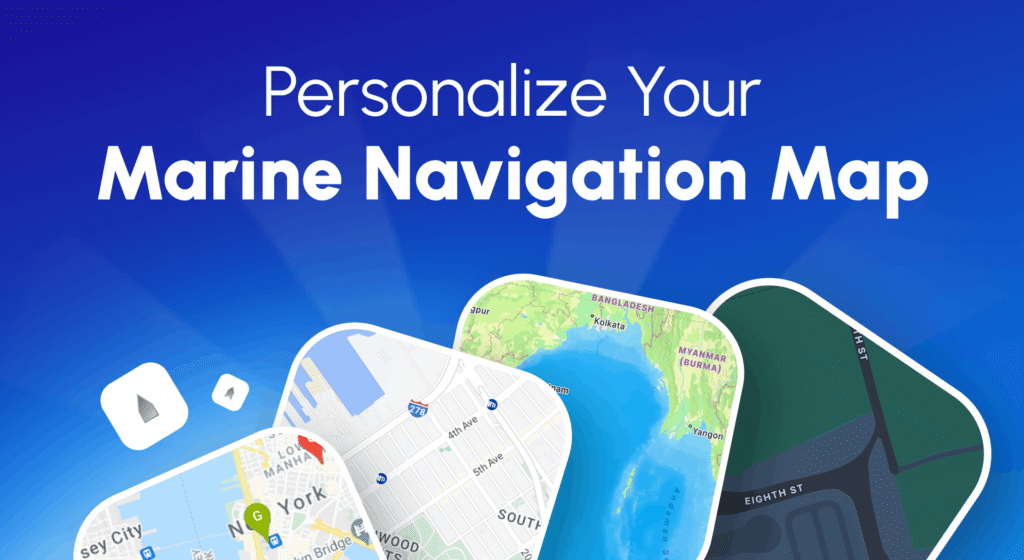
Explore map styles, vessel filters, live AIS data, and tracking options to customize your maritime experience in the marine map.
With modern tools like the MarineRadar ship tracker app, you can personalize your marine map to focus on ship types and destinations, regional traffic, and ocean routes.
In the world of maritime navigation, information is not just about knowing where ships are; it’s about seeing them the way you want.
Whether you’re a ship spotter, marine professional, or fleet operator, MarineRadar lets you customize your map interface for better visibility, efficiency, and control.
What Is a Marine Map?
MarineRadar takes this core data and turns it into a customizable experience. Users can visualize fleets, filter by vessel category, switch map themes, and replay routes.
A marine map is a live, interactive map that displays vessels worldwide in real time. It’s powered by AIS (Automatic Identification System) signals, which transmit data such as
- Ship name, type, and IMO/MMSI number
- Position, speed, and course
- Destination and estimated time of arrival (ETA)
How to Personalize Your Marine Map in MarineRadar?
1. Select Vessel Types
Filter your map to display only specific vessel types, such as cargo ships, tankers, high-speed craft, tugs, pilot vessels, yachts, fishing boats, reserved vessels, or passenger liners.
2. Change Map Styles
Switch easily between styles to match your visibility preferences or environment. MarineRadar offers multiple map display modes, including
- Standard Map: For general navigation
- Satellite Map: For real-world imagery of coastlines and ports
- Dark Mode: For low-light or nighttime viewing
3. Highlight Your Favorite Vessels
Add ships to your My Fleet list to track them more efficiently. MarineRadar lets you pin vessels on your personalized map and get quick access to:
- Current location
- Voyage history
- ETA and destination
4. Set Area Filters
Use the area filters to view vessel density by country or region. This feature is ideal for maritime professionals managing regional fleet operations.
5. Replay Historical Routes
With the Route Replay option, you can analyze previous vessel movements, perfect for voyage review, port management, or performance analysis.
6. Customize Data Display
MarineRadar allows you to toggle between:
- Detailed View: Shows complete vessel data, name, ownership, flag, cargo type, destination
- Minimal View: Displays just direction and coordinates
Why Does Personalizing Your Marine Map Matter?
A standard map view may display thousands of ships simultaneously, making it difficult to focus. Whether you’re tracking a personal yacht or managing global operations, personalization ensures you see precisely what you need, when you need it.
By customizing your MarineRadar map, you can:
- Reduce clutter and only view relevant ships.
- Monitor key routes or fleets in specific regions.
- Enhance visibility under different lighting conditions.
- Analyze maritime traffic patterns by country or area.
Benefits of a personalized MarineRadar map
Even if you are at sea or onshore, MarineRadar’s flexible map features make maritime tracking simple, interactive, and efficient.
- Smarter Navigation: Focus on specific zones or routes for a more efficient experience.
- Better Decision-Making: Filter data for your operational needs.
- Efficient Fleet Monitoring: Manage multiple ships seamlessly.
- User Comfort: Select map themes for daytime or nighttime use.
Conclusion
Customizing your marine map with MarineRadar transforms your tracking experience from ordinary to insightful.
Whether you want to focus on specific fleets, regions, or ship types, MarineRadar’s innovative tools let you design your own maritime view—transparent, efficient, and uniquely yours.
Download MarineRadar: Vessel Tracker from the Google Play Store or App Store today and experience real-time ship tracking.
FAQs
1. Can I change the map style anytime?
Yes. You can switch between Standard, Satellite, and Dark Mode instantly in the app settings.
2. How can I see ships in a specific area?
Use the area filter or zoom into your desired region. MarineRadar updates vessel data in real time for that area.
3. Does MarineRadar show vessel routes?
Yes, you can view current routes and replay past voyages directly on the map.